Prebuilt catalog and workflow packs
Reusable definitions give teams a starting point. Pack readiness previews show what a pack needs before installation.
- Catalog browsing
- Readiness previews
- Client workflow deployment
Workflow automation for managed service providers
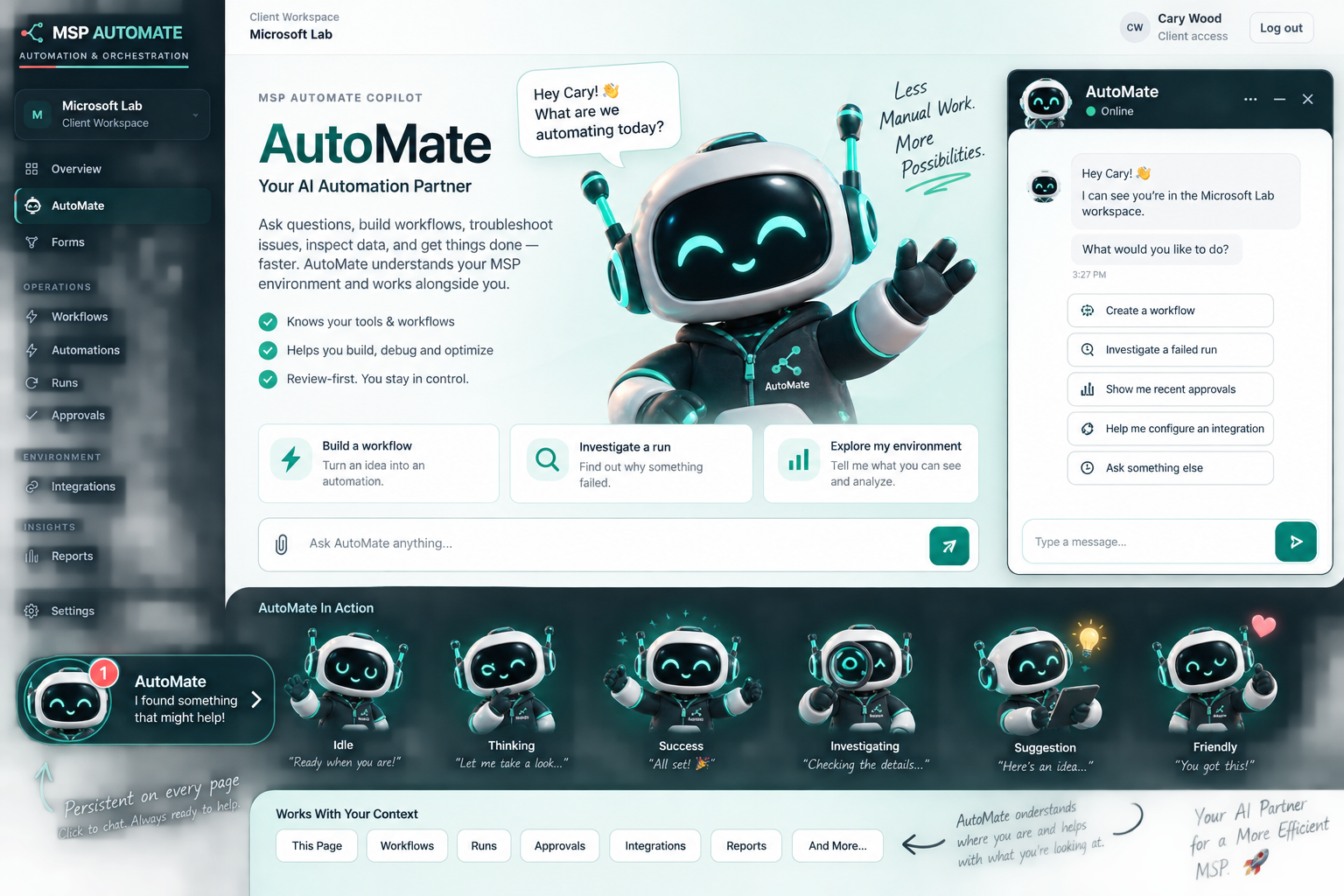
I built MSP Automate to help managed service providers deploy and manage workflows across client environments. Teams can start with 100+ prebuilt automation definitions or describe a workflow to AutoMate, then review approvals and track runs in the client workspace.
I started by building 34 n8n workflows for recurring MSP work, including ticket routing, SLA escalation and client onboarding. Reusing that work across clients raised a different set of problems: each client had its own connections, configuration and approval process.
I built MSP Automate around those operational needs. The platform gives teams a place to pick a workflow, prepare it for a client and review what happened after it ran.
Houses platform administration and the shared product catalog.
Gives the MSP a place to manage its clients and prepare workflows for deployment.
Keeps client workflow configuration, approvals and run history in the client context.
Reusable definitions give teams a starting point. Pack readiness previews show what a pack needs before installation.
Teams describe the trigger, the tools involved and the expected outcome. AutoMate drafts an editable workflow for review.
Operators can review actions that require approval and inspect execution history in the client workspace.
Operators can review playbook inputs and validate drafts before following a guided deployment flow.
For example, ask AutoMate to draft a workflow that routes incoming service tickets and flags cases approaching their SLA. The operator can review the trigger, routing logic and approval steps before configuring the draft for a client.
The same review process applies when starting from a prebuilt definition. The workspace gives the operator a place to check connections and inspect the outcome after execution.
Definitions cover ticket intake, routing, escalation and recurring service desk review.
Definitions cover user lifecycle changes, licensing and tenant review.
Definitions cover device inventory, endpoint health and remediation approvals.
Definitions help teams organize alerts, gather context and track follow-up.
Definitions help MSPs reconcile subscriptions and review service delivery.
Playbook examples give teams a starting point for reviewing and applying configuration changes.
A reusable workflow definition can be prepared for multiple clients while each workspace keeps its own configuration and run history.
Workflow drafts and playbook inputs can be inspected before deployment. Approval steps give operators a place to review changes that need human judgment.
I designed the workspace model, workflow catalog, AutoMate drafting experience, and the paths for deployment, approvals and run review. I also built the guided Ansible playbook flow and worked on the PSA integration layer, including HaloPSA.
We can walk through how it would be drafted, configured for a client, and reviewed in MSP Automate.